
A reliable data recovery tool
PhotoRec is a free powerful open-source data recovery software designed to recover lost files from hard drives, memory cards, USB drives, and other storage devices. Developed by CGSecurity, it focuses primarily on recovering lost photos, videos, and other media files, but can handle a wide range of file types.
Top Recommended Alternative

PhotoRec’s primary goal is to help users retrieve data from damaged or corrupted devices. With its free, no-frills approach, it has garnered a reputation as a go-to recovery tool for personal and professional use alike. With an easy to navigate interface, this data recovery tool is a must have.
Ease of use and consistent performance
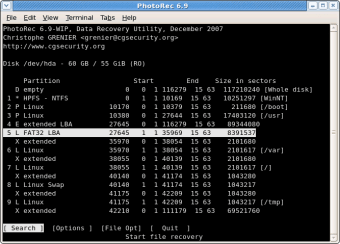
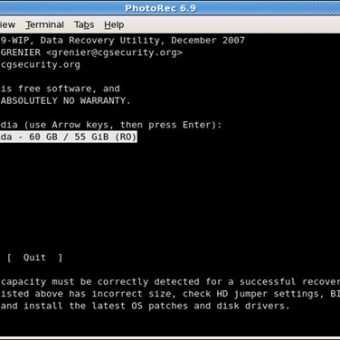
PhotoRec operates with a straightforward interface, though its command-line-based design can be off-putting for beginners. Users select the drive or partition they wish to recover data from, and it scans for lost files using its file signature-based approach. While the lack of a graphical interface can be intimidating, the recovery process itself is highly customizable, allowing users to filter file types and specify the output location for recovered data.
The tool’s recovery capabilities are impressive, as it scans a variety of file systems, including FAT, NTFS, exFAT, and ext3/ext4, and can retrieve files even from severely damaged storage. While recovery performance depends on the size of the device and extent of damage, this recovery tool has a high success rate with minimal resource consumption, making it suitable for both large and smaller data sets.
Despite its effectiveness, this data recovery tool has some limitations. The lack of a graphical user interface (GUI) means it can be less intuitive for those unfamiliar with command-line tools. Additionally, the recovery process can be time-consuming, especially for large storage devices. It also does not support the recovery of file names or folder structures, which can be frustrating when dealing with large amounts of data.
A powerful tool for data recovery
PhotoRec is a reliable solution for recovering lost media and files from damaged or corrupted storage devices. Its high recovery success rate, wide file system support, and low system requirements make it an excellent tool for tech-savvy users. It’s easy-to-understand interface is also usable by beginners. However, its lack of GUI and limited recovery structure may be challenging for beginners or large-scale recoveries.